 Solo Scores
How do I create a playlist and export its running order?
A playlist holds scores in performance order, ready to play from. You can export its running order as a PDF to send to the rest of the group or the venue.
Create a playlist
- Open the app menu and tap + beside Playlists.
- Choose Manual, then enter a Name and, optionally, a Date.
- Tap ✓, then add scores to the playlist. See How do I add or remove playlist scores?
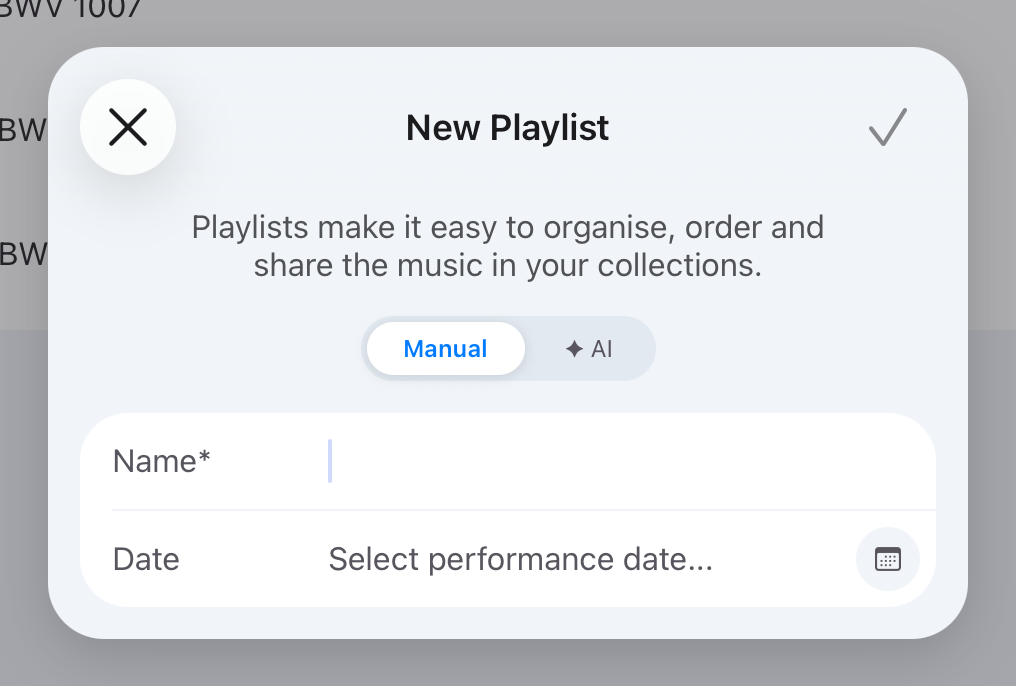
To have Solo Scores pick the scores for you, choose ✦ AI instead. See How do AI playlists work?
Export the running order
- Put the scores in performance order. See How do I reorder or shuffle a playlist?
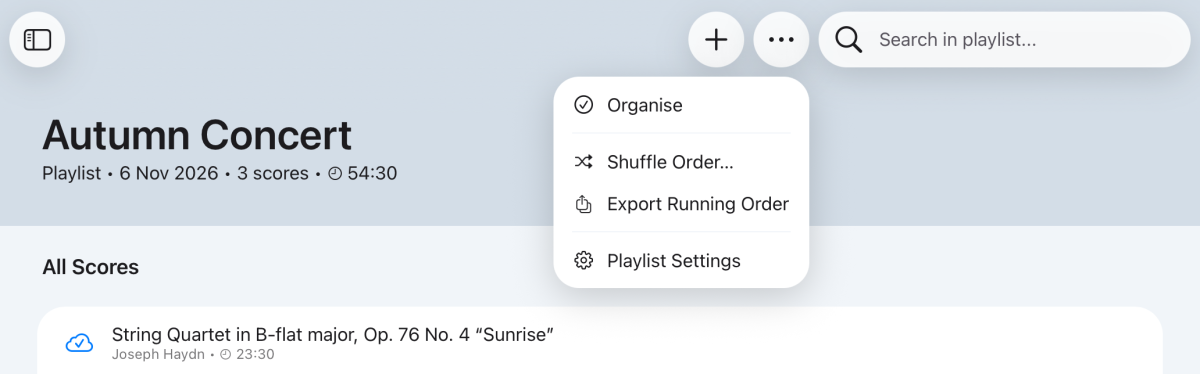
- Tap ⋯ at the top of the playlist and choose Export Running Order.
- Send or save the PDF.
Still need help? Email info@soloapps.co.uk.