 Solo Scores
How do I manage PDF parts?
A score can hold several PDF parts, such as a full score and separate instrument parts. Give each part a clear name so every player can find theirs quickly.
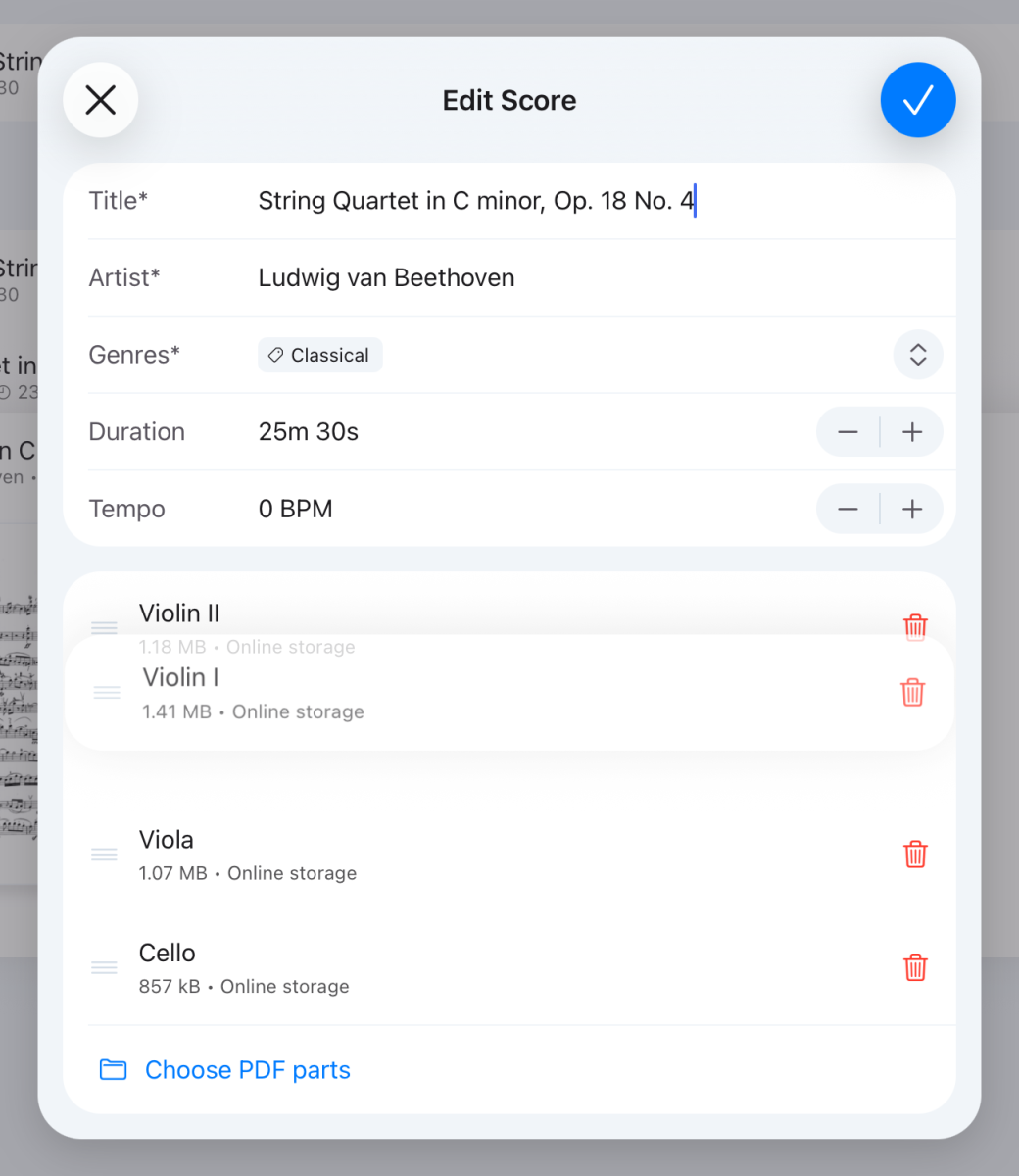
You manage a score's parts when you edit it. To edit a score, tap it, tap ⋯ and choose Edit score. To move parts between scores while importing, see How do I import lots of PDFs at once?
Add parts
- Tap Choose PDF parts and select one or more PDFs.
- Check each part's name. Solo Scores suggests one from the file name.
- Tap ✓ to save.
Reorder parts
- Press and hold the handle at the left of a part.
- Drag it into place.
- Tap ✓ to save.
Remove a part
- Tap the bin at the right of the part.
- Tap ✓ to save.
Until you save, tapping ✕ keeps the part.
Still need help? Email info@soloapps.co.uk.