 Solo Scores
How do I find a score quickly?
Search, sorting and filters change what you see in a collection without changing the collection itself. Popular ranks scores by how often everyone who shares the collection opens them, and the suggestions at the top of the collection are the scores you open most.
Search a collection
- Tap Search at the top of the collection.
- Type part of a title or artist.
Sort or filter
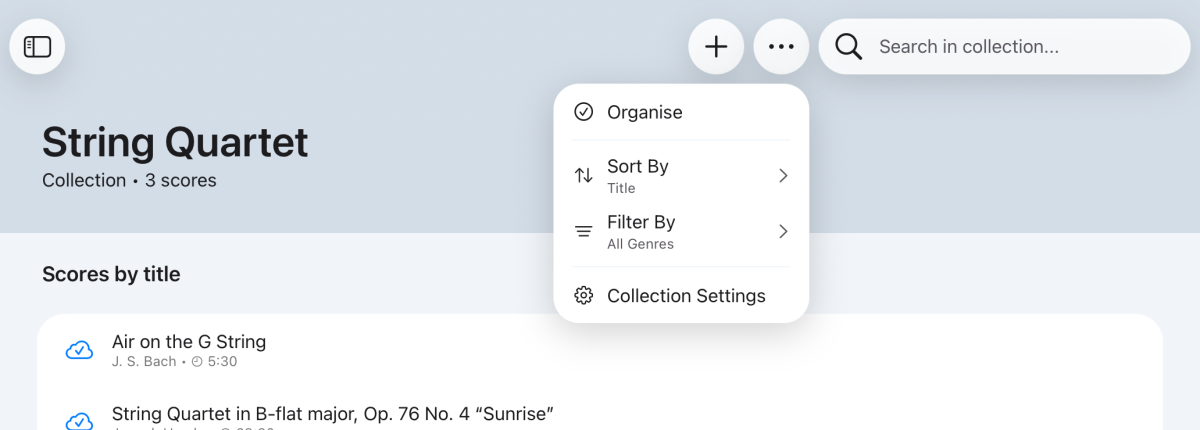
- Tap ⋯ at the top of the collection.
- Under Sort By, choose Title, Artist or Popular. Under Filter By, choose a genre.
Pin a score
- Tap the score to expand it.
- Tap ⋯ and choose Pin score.
The score then appears under Pinned scores.
Still need help? Email info@soloapps.co.uk.