 Solo Scores
Where do I find collections, playlists, and settings?
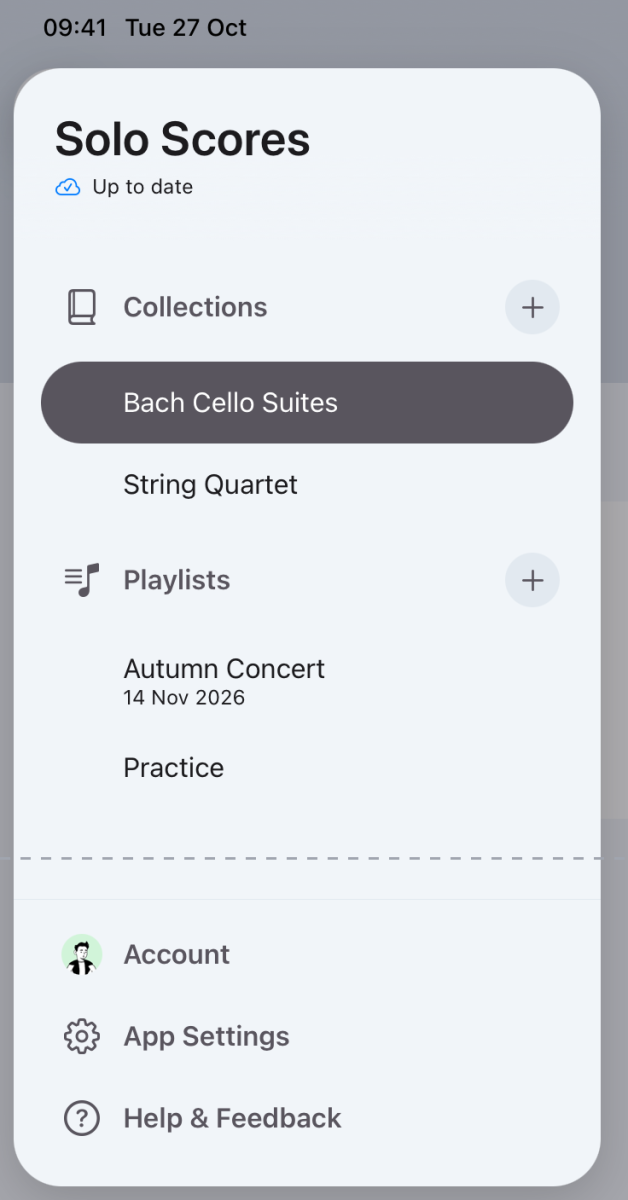
The app menu is the way in to everything in Solo Scores: your collections and playlists, your Account, App Settings and Help & Feedback. Each collection and playlist also has its own menu for its settings.
Open the app menu
- Tap the sidebar button at the top left.
- Tap a collection or playlist to open it, or tap + beside Collections or Playlists to create one.
Open collection or playlist settings
- Open the collection or playlist and tap ⋯ at the top of the screen.
- Choose Collection Settings or Playlist Settings to rename it, manage members, or leave or delete it.
Still need help? Email info@soloapps.co.uk.