 Solo Scores
Who can see my annotations?
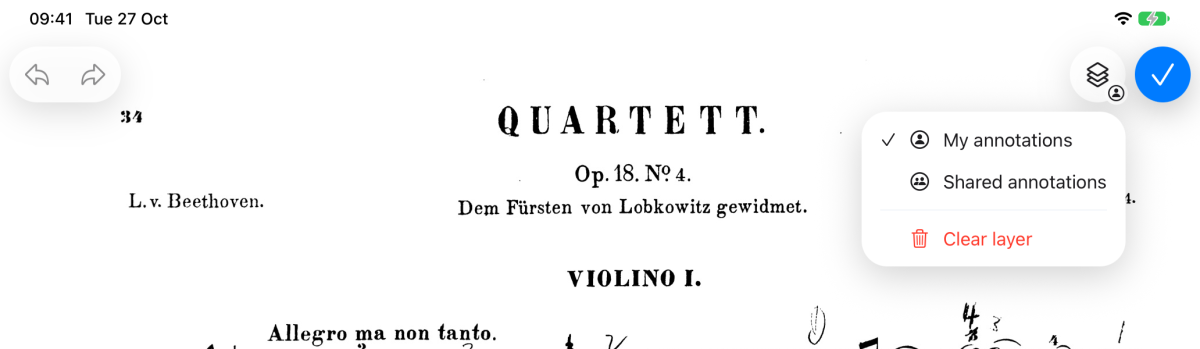
Annotations sit on one of two layers. My annotations are visible only to you. Shared annotations are visible to everyone who can open the score, which makes them useful for bowings, cuts, cues and other ensemble markings.
Switch layer
- While annotating, tap the layer button next to ✓ at the top right. Its small badge shows which layer you're drawing on.
- Choose My annotations or Shared annotations.
- Draw as usual.
Still need help? Email info@soloapps.co.uk.